
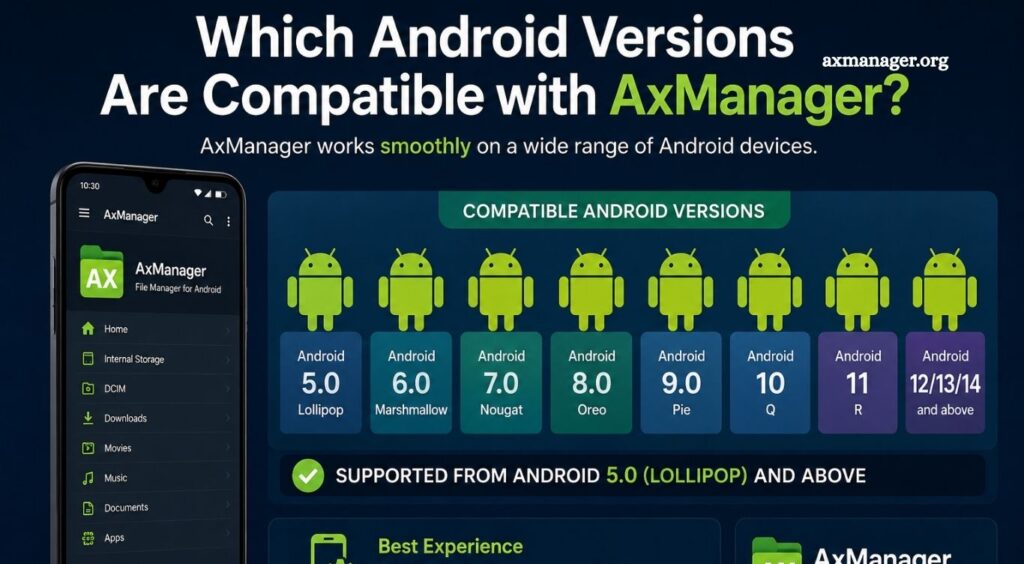
AxManager is a useful Android management tool designed for users who want better control over applications, files, and device-related functions. Before installing or using any Android utility, users often want to know whether it needs special permissions, especially root access.
Understanding AxManager’s permission requirements can help users choose the right setup and avoid unnecessary changes to their device. Rooting an Android phone can affect security, warranty coverage, and system stability, so knowing whether AxManager works without root access is important.
Does AxManager Require Root Access?
AxManager does not necessarily require root access for its basic functions. Many standard features can work on a non-rooted Android device when the application has the permissions required for those specific tasks.
Read More: What Features Does AxManager Offer?
Root access becomes relevant when an operation needs elevated system privileges. Android normally restricts applications from modifying protected system areas, changing certain system settings, or accessing files outside their permitted storage locations. A rooted device can remove some of these restrictions.
Users should therefore distinguish between basic AxManager functions and features that require deeper system-level access. The exact requirement can also depend on the AxManager version, Android version, and specific feature being used.
What Does Root Access Mean on Android?
Root access provides elevated control over the Android operating system. A rooted device permits compatible applications to perform operations that are normally blocked by Android’s security model.
This additional access can be useful for advanced customization and system management. However, rooting also introduces additional risks. Incorrect modifications can cause application failures, boot problems, security issues, or unwanted system changes.
For users who only need AxManager’s normal functionality, rooting the phone solely for the application may not be necessary.
Can AxManager Work on a Non-Rooted Phone?
Yes, AxManager can be used on a non-rooted Android phone for functions that do not require privileged system access. Android’s standard permission system allows applications to perform many tasks without root privileges.
A non-rooted setup is generally preferable for users who want a simpler and safer configuration. Keeping the device unrooted also preserves Android’s standard security restrictions, reducing the chance of accidentally changing protected system components.
However, users should check the requirements for individual AxManager features because advanced operations may have different permission needs.
When Might Root Access Be Needed?
Root access may become necessary when AxManager performs an operation that interacts directly with protected Android components. Examples can include certain system-level modifications, restricted file operations, or advanced device management functions.
These capabilities are normally unavailable to ordinary applications because Android isolates applications from sensitive parts of the operating system. Root privileges can remove those restrictions.
If AxManager clearly indicates that a particular feature requires root, users should not assume that granting ordinary storage or application permissions will provide the same access.
Is Rooting Your Phone Necessary for AxManager?
For most users, rooting should not be considered a requirement unless the specific AxManager feature they need explicitly demands it.
Rooting a device only to unlock one feature may introduce unnecessary complexity. A non-rooted phone provides a more straightforward environment, particularly for users who are not familiar with Android system modifications.
Before rooting, users should identify the exact AxManager function they want to use and verify its requirements. This approach prevents unnecessary system changes.
AxManager Permissions vs Root Access
Regular Android permissions and root access are not the same thing. An application may request permission to access storage, notifications, accessibility services, or other Android features without having complete control over the operating system.
Root access is considerably more powerful. It can allow applications to access protected directories and perform system-level operations that standard permissions cannot provide.
Understanding this difference helps users avoid granting more access than necessary. If AxManager performs the required task with normal permissions, root access offers little benefit for that particular use case.
Should You Root Your Android Device for AxManager?
Users should avoid rooting their Android phone solely because they assume AxManager requires it. Rooting can be useful for advanced Android customization, but it also requires technical knowledge and careful configuration.
A better approach is to install the appropriate AxManager version, review its permissions, and test the required functions without root first. If a specific advanced feature reports that root privileges are required, users can then decide whether the additional access is worth the risks.
Keeping a backup before making system-level changes is also a sensible precaution.
Benefits of Using AxManager Without Root
Using AxManager without root can provide a simpler experience. Users can keep Android’s default security model while accessing features that operate within normal application permissions.
A non-rooted setup can also reduce the possibility of accidental system modifications. Users who mainly want application management or other standard functionality may find that root access provides no meaningful advantage. This makes a non-root configuration a practical starting point for beginners.
What Should You Check Before Using AxManager?
Before using AxManager, check the application’s current documentation and the requirements associated with the exact feature you plan to use. Android versions can change permission behavior, meaning instructions that worked on an older version may not apply to newer releases.
It is also important to download AxManager from a trustworthy source. Avoid modified application packages from unknown websites because they can contain unwanted code or request excessive permissions.
Conclusion
AxManager does not generally require root access for basic functionality, making it suitable for users with non-rooted Android devices. Root privileges may only become necessary for specific advanced features that need deeper system access. Users should check the requirements of their desired feature before rooting their device and avoid unnecessary system modifications. For most users, starting with a non-rooted setup offers a simpler, safer, and more convenient AxManager experience.
Pingback: Can AxManager Manage Installed Android Apps? - axmanager