
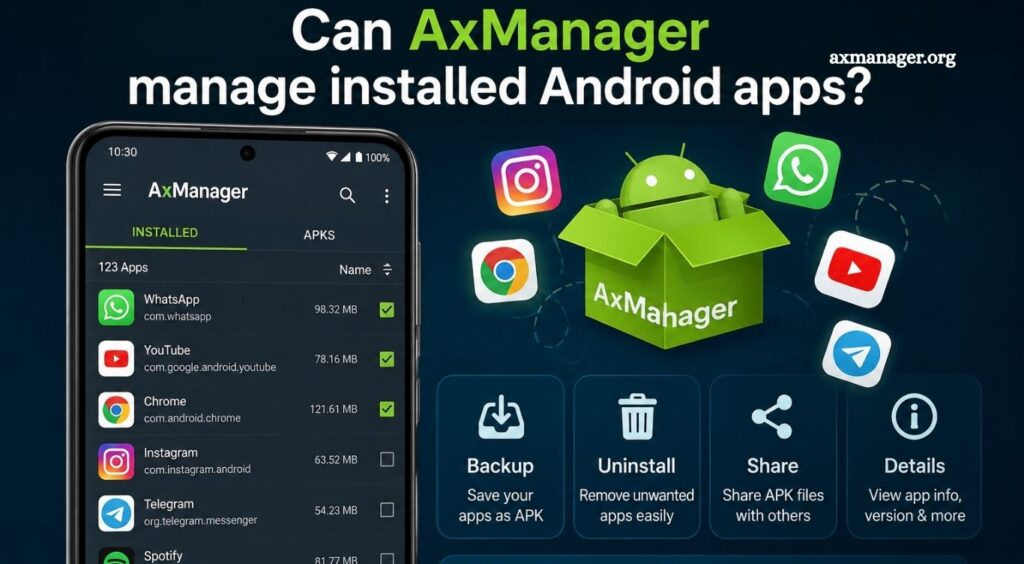
Android users often install many applications for work, entertainment, communication, and daily tasks. Managing these apps efficiently can become difficult when a device contains dozens of installed applications. Tools designed for Android management can make it easier to organize applications, check their status, and maintain better control over device content.
AxManager is known as a tool focused on Android device management and system-level operations. Its capabilities can vary depending on the device, Android version, permissions, and AxManager release. Understanding how it handles installed Android apps helps users determine whether it fits their device-management needs.
What Is AxManager?
AxManager is an Android management utility designed to provide users with greater control over certain aspects of an Android device. Depending on its supported functions, it can interact with applications, system components, device settings, and other Android resources.
Read More: Does AxManager require root access?
Unlike a standard app manager built into Android, a specialized management tool may provide additional information or controls. Advanced functions can require appropriate permissions, and some operations may depend on whether the device has been rooted or configured for additional access.
Can AxManager Manage Installed Android Apps?
Yes, AxManager can provide app-management capabilities, but the exact level of control depends on its version, permissions, Android release, and device configuration.
App management generally involves viewing installed applications and interacting with them through available Android management functions. Users may be able to inspect applications, identify installed packages, or perform supported actions.
However, AxManager should not automatically be considered a complete replacement for Android’s built-in application manager. Some advanced operations may not be available on every device.
How AxManager Handles Installed Apps
AxManager can work with installed applications through Android’s application and package-management system. This allows a management tool to identify applications installed on the device and access information associated with supported packages.
The available information may include application names, package identifiers, installation status, and other technical details. Depending on the permissions available to AxManager, users may also have access to additional management functions.
Android’s security architecture limits what third-party applications can do without elevated privileges. As a result, AxManager’s app-management capabilities can differ between standard and advanced device configurations.
Can AxManager Uninstall Android Apps?
Application removal depends on the permissions and functionality supported by the AxManager version being used.
Regular user-installed applications are generally easier to manage than protected system applications. Android restricts access to certain system packages because removing or modifying critical components can affect device stability.
If AxManager provides an uninstall option, users should carefully verify the selected package before removing it. Deleting an important system component can cause features, services, or other applications to stop working correctly.
Can AxManager Manage System Apps?
System applications are more restricted than ordinary Android apps. Some are essential for Android functionality, while others are manufacturer-specific services.
AxManager may be able to display or interact with system packages when the necessary permissions are available. Advanced management actions can require root access or another elevated privilege mechanism.
Users should avoid modifying unfamiliar system applications. A package that appears unnecessary may support another Android feature or device service in the background.
Can AxManager Disable Installed Apps?
Disabling an application is different from uninstalling it. A disabled app remains on the device but becomes inactive until it is enabled again.
Whether AxManager can disable a specific application depends on the Android version, application type, and permissions available to the tool. Standard applications may offer more flexibility, while protected packages can remain restricted.
Disabling unwanted applications can be useful when an app cannot be safely removed but does not need to remain active.
Does Android Version Affect AxManager App Management?
Yes. Android versions introduce different security restrictions, permission systems, and package-management rules. These changes can affect how third-party utilities interact with installed applications.
A feature available on an older Android release may behave differently on a newer version. Device manufacturers can also add their own restrictions through customized Android interfaces.
For this reason, users should check AxManager compatibility with their specific Android version before relying on a particular app-management function.
Does Root Access Improve App Management?
Root access can provide significantly greater control over an Android device. With elevated privileges, management tools may be able to perform actions that are restricted under normal user permissions.
However, rooting also introduces security and stability considerations. Incorrect changes to system packages can cause boot problems, application failures, or other unexpected behavior.
Users who do not need advanced system control should generally use standard Android permissions and built-in management features whenever possible.
AxManager vs Android’s Built-In App Manager
Android already includes an application management section that lets users view installed apps, manage permissions, clear supported data or cache, uninstall eligible apps, and control certain settings.
AxManager can be useful when users need additional management features beyond the standard Android interface. Its value depends on the specific functions available in the installed version.
For everyday tasks, Android’s built-in app manager is often sufficient. AxManager becomes more relevant for users who need specialized device-management capabilities.
Is AxManager Suitable for Managing All Android Apps?
No single management tool should be expected to control every Android application. System restrictions, manufacturer policies, application privileges, and Android security mechanisms can prevent certain operations.
AxManager may manage many supported applications, but protected system packages can remain inaccessible or offer limited controls. Users should therefore view AxManager as a specialized management utility rather than a universal solution for every installed app.
Tips for Managing Android Apps Safely
Before changing or removing an application, identify its package and understand its purpose. System packages deserve extra caution because they may support important Android functions.
Keep important personal data backed up before performing advanced application-management operations. Avoid modifying applications that you cannot identify, especially when using elevated permissions.
It is also important to keep AxManager and Android updated when compatible versions are available. Updated software can provide better compatibility with newer Android security and package-management changes.
Conclusion
AxManager can help users manage installed Android applications, depending on the device, Android version, permissions, and available features. It may provide useful controls for viewing, organizing, disabling, or handling supported apps, while system applications remain subject to Android security restrictions.
Pingback: How do I update AxManager to the latest version? - axmanager