
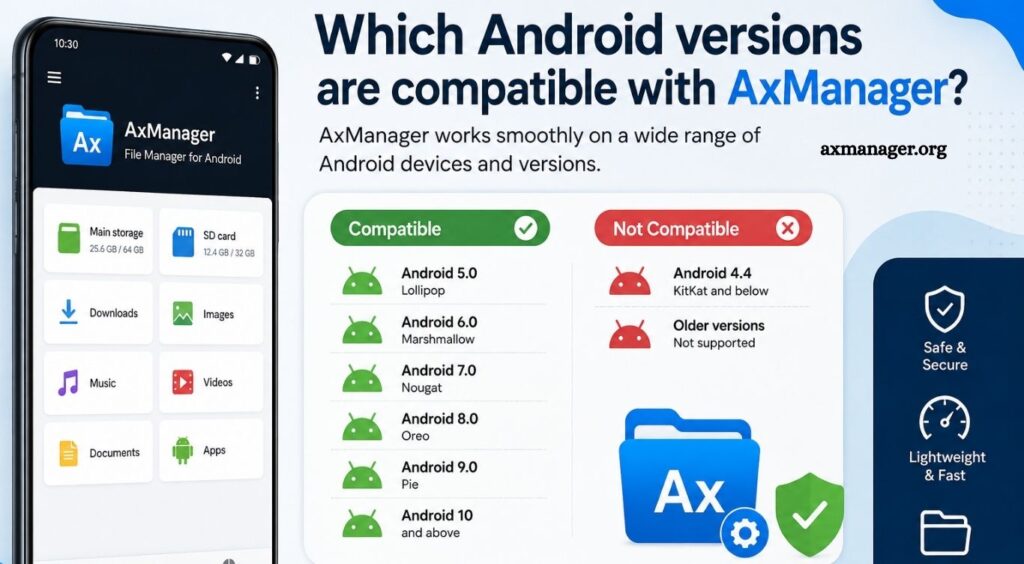
AxManager is an Android management and customization tool designed for users who want greater control over applications, system features, and device settings. Compatibility plays an important role when installing any Android utility because different Android releases can handle permissions, system access, and security restrictions differently.
Understanding which Android versions work with AxManager can help users avoid installation problems, crashes, or features that fail to operate correctly. Android has introduced significant security and permission changes across recent releases, so AxManager compatibility may depend on the app version, device manufacturer, and Android build.
AxManager Android Compatibility
AxManager is generally intended for modern Android devices, although exact compatibility can vary between releases. Older Android versions may lack some system features required by newer AxManager builds, while newer Android versions can introduce additional restrictions.
Read More: How do I update AxManager to the latest version?
Users should check the specific AxManager release they plan to install because the minimum Android requirement can change between versions. An application may install successfully on a particular Android version while some advanced functions remain unavailable.
Does AxManager Work on Android 10?
Android 10 can support many modern Android utilities, making it a reasonable platform for compatible AxManager releases. However, functionality may depend on the exact AxManager version and device configuration.
Android 10 introduced stronger privacy controls and scoped storage, which can affect applications that require broader file or system access. Users should verify the requirements of their AxManager version before installation.
Is AxManager Compatible With Android 11?
Android 11 introduced additional privacy and storage restrictions. AxManager versions designed to support Android 11 may work normally when the required permissions are granted.
Some functions involving storage, application management, or system-level access may behave differently compared with older Android releases. Keeping AxManager updated can improve compatibility with Android 11 devices.
Can AxManager Run on Android 12?
Android 12 brought further privacy and security improvements, including changes to permissions and background behavior. Compatible AxManager builds may run on Android 12, although certain advanced functions can depend on the device’s software configuration.
Samsung, Xiaomi, OnePlus, Google Pixel, and other manufacturers can implement Android features differently. This means two Android 12 devices may provide different results with the same AxManager version.
AxManager Compatibility With Android 13
Android 13 continues the trend toward tighter application permissions and stronger security controls. AxManager can work on supported Android 13 devices when the application release matches the operating system requirements.
Users should pay particular attention to permissions when using AxManager on Android 13. Missing permissions can make features appear broken even when the application itself is compatible.
Does AxManager Support Android 14?
Android 14 includes several security and compatibility changes that can affect third-party applications. AxManager support depends on whether the installed release has been updated for Android 14.
A recent AxManager version is generally preferable for Android 14 users. Older releases may install but experience limitations caused by changes in Android’s security model.
Is AxManager Compatible With Android 15?
Android 15 introduces newer platform restrictions and security improvements. Compatibility therefore depends heavily on the AxManager build being used.
Users running Android 15 should choose an AxManager version that specifically lists support for their Android release. Testing on a secondary device or reviewing the developer’s compatibility information can also help prevent unexpected issues.
AxManager and Newer Android Versions
New Android releases can change APIs, permissions, storage behavior, background processes, and security policies. These changes can require developers to update applications before full compatibility is available.
AxManager users should avoid assuming that an older version will automatically provide complete functionality on a newly released Android version. Updating AxManager is often the simplest way to improve compatibility.
How to Check Your Android Version
Checking the Android version is simple. Open Settings, select About phone or About device, and locate Android version. Some manufacturers place this information under Software information.
Once the Android version is known, compare it with the minimum requirements listed for the AxManager release. Checking the device model and Android build number can also be useful when troubleshooting compatibility problems.
Common AxManager Compatibility Problems
Compatibility problems can appear in several ways. AxManager may fail to install, close unexpectedly, refuse permissions, or provide limited functionality.
The Android version is only one possible cause. Manufacturer-specific software, bootloader restrictions, permission settings, outdated AxManager builds, and missing dependencies can also affect performance.
Updating both Android and AxManager, checking required permissions, and using a release designed for the device’s Android version can resolve many common problems.
Best Android Version for AxManager
There is no single Android version that guarantees identical AxManager functionality on every device. A supported and relatively recent Android release paired with a current AxManager version usually provides the best compatibility.
Users should prioritize official compatibility information for their specific AxManager release rather than relying solely on the Android version number.
Conclusion
AxManager compatibility depends on several factors, including Android version, AxManager release, device manufacturer, permissions, and system configuration. Android 10 through Android 15 may support compatible AxManager releases, but individual features can vary across devices.